
Why I'm building Redlamp
A native, open-source raw editor for the Mac that works like Lightroom. It's early, and I'd love your help testing it.
· Pedro
Hello, I'm Pedro. I'm originally from Portugal, London has been my home for the past 14 years, and I've been a software engineer since 2003. I'm also a hobbyist photographer, and I love the editing as much as the shooting.
Like so many others, I started out editing in Photoshop and moved to Lightroom. It was simpler and more focused. It felt less powerful, and it was, but it was the better tool for me. I owned it, and I paid to upgrade whenever a new version was worth it. Then Lightroom became a subscription, and things got confusing: Lightroom Classic, Lightroom, Lightroom Mobile, a web version, different feature sets, cloud and no cloud. I adapted, but I wasn't happy.
This isn't about criticising Adobe, which has essentially defined the gold standard in several industries. I've worked for very large companies myself, and I understand how decisions like these come about, and how hard it can be to do the right thing even when it's obvious. I just want there to be a real alternative.
Meanwhile, software engineering has changed. Given enough tokens, persistence and patience, we can build almost anything now. Execution, and how much of it you can do, no longer sets anyone apart: everyone is, or can be, an absolute machine. So I've doubled down on product thinking, and on the itches I've always wanted to scratch. A legitimate alternative to Lightroom is near the top of that list, and it comes with a question I couldn't resist: how close can one person really get?
The shell is the easy part. Any decent model can write a Lightroom-like application that looks good, feels good, responds quickly and offers the same interface. But that isn't where the real value is. Behind Lightroom is real research, and access to specialist equipment and people: cameras, scanners, film stock, lenses and experts. That's Adobe's IP, and arguably where most of its value lies.
To be completely honest, I know almost nothing about color science and little about chemistry, and beyond a flood fill, I'd never dabbled in the kind of algorithms tools like Lightroom use. That's the beauty of the era we live in: any fool, like me, can wield great power and pretend to be an expert in many, many domains.
Still, I'd never seriously considered attempting it. Products like Lightroom take a village: people with different skills, strengths and weaknesses, and more hours between them than one person has once sleep, family and friends have had their share. It turns out that, within reason, that's no longer true.
So here we are. It's the 1st of October, and the first pre-alpha of Redlamp is out, two days after I started. It's a competent raw editor, with a lot of the advanced, non-trivial functionality we now take for granted. Two years ago, getting this far would have taken a substantial team of engineers and researchers, significant funding and at least a few years of work.
Two. Days.
I'm not suggesting everyone should go and build their own version of everything, but it does mean one person can now offer a legitimate alternative to software that used to need a large company behind it. Two days gets you a pre-alpha, though, not a Lightroom.
The parts that take real expertise, like the color science, the cameras I don't own and how each film stock really looks, are exactly where one person runs out. That's where the village comes back in: people who shoot raw trying it on their own photos, and people who know this field far better than I do telling me where it's wrong.
Here it is: Redlamp.
What it is
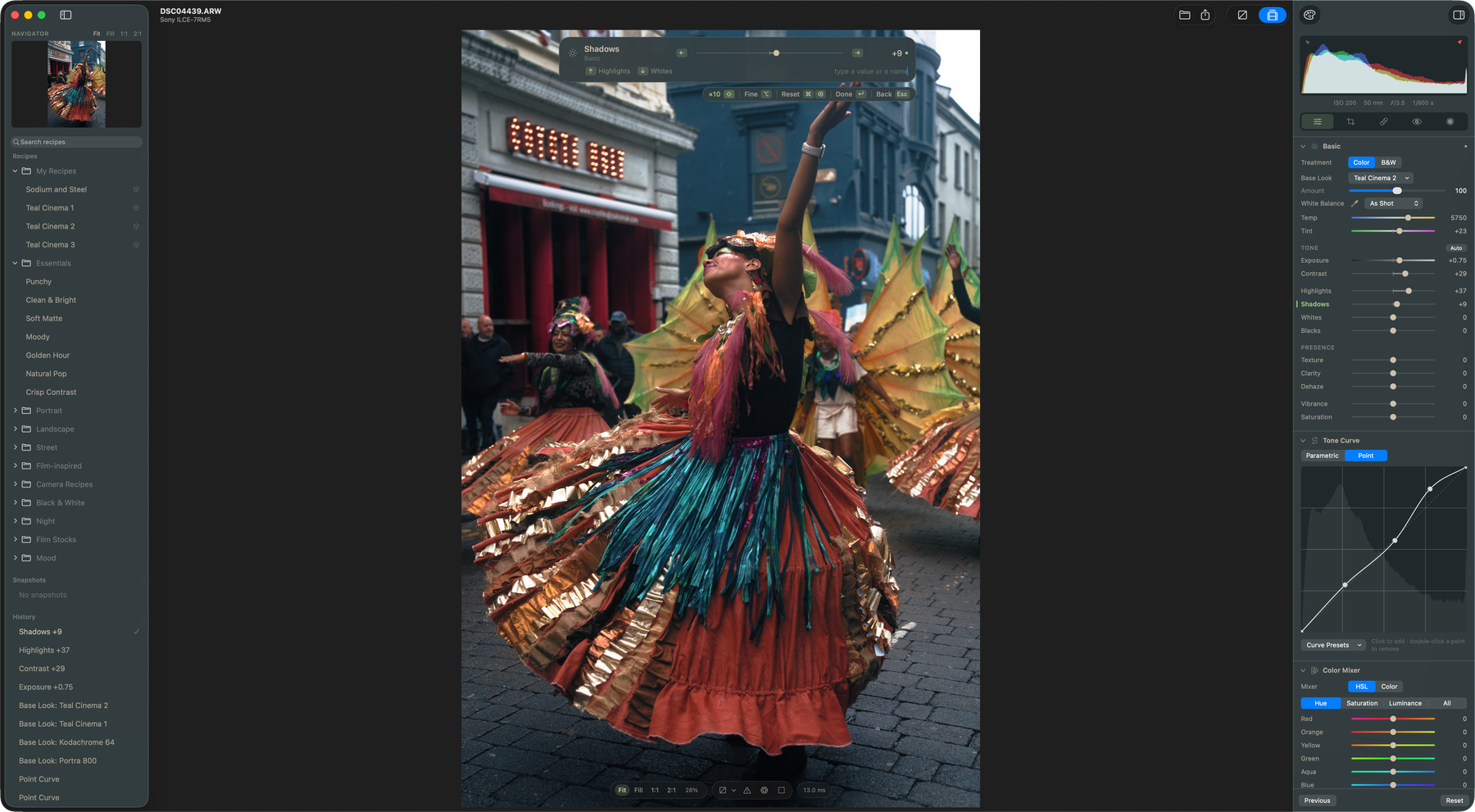
If you know Lightroom's Develop module, you already know your way around. The panels are in the same order, the sliders have the same names and ranges, and Lightroom Classic's shortcuts work. Underneath, it's a native app that renders on the GPU, so it keeps up while you drag a slider.
It's an editor, not a catalog. You open a folder, and your edits are saved in a small file next to each photo, so the originals are never touched. There's no import step and no library to manage, and your photos never leave your Mac.
What works today
- The Develop panels: Basic (with Texture, Clarity and Dehaze), Tone Curve, Color Mixer, Color Grading, Detail and Effects.
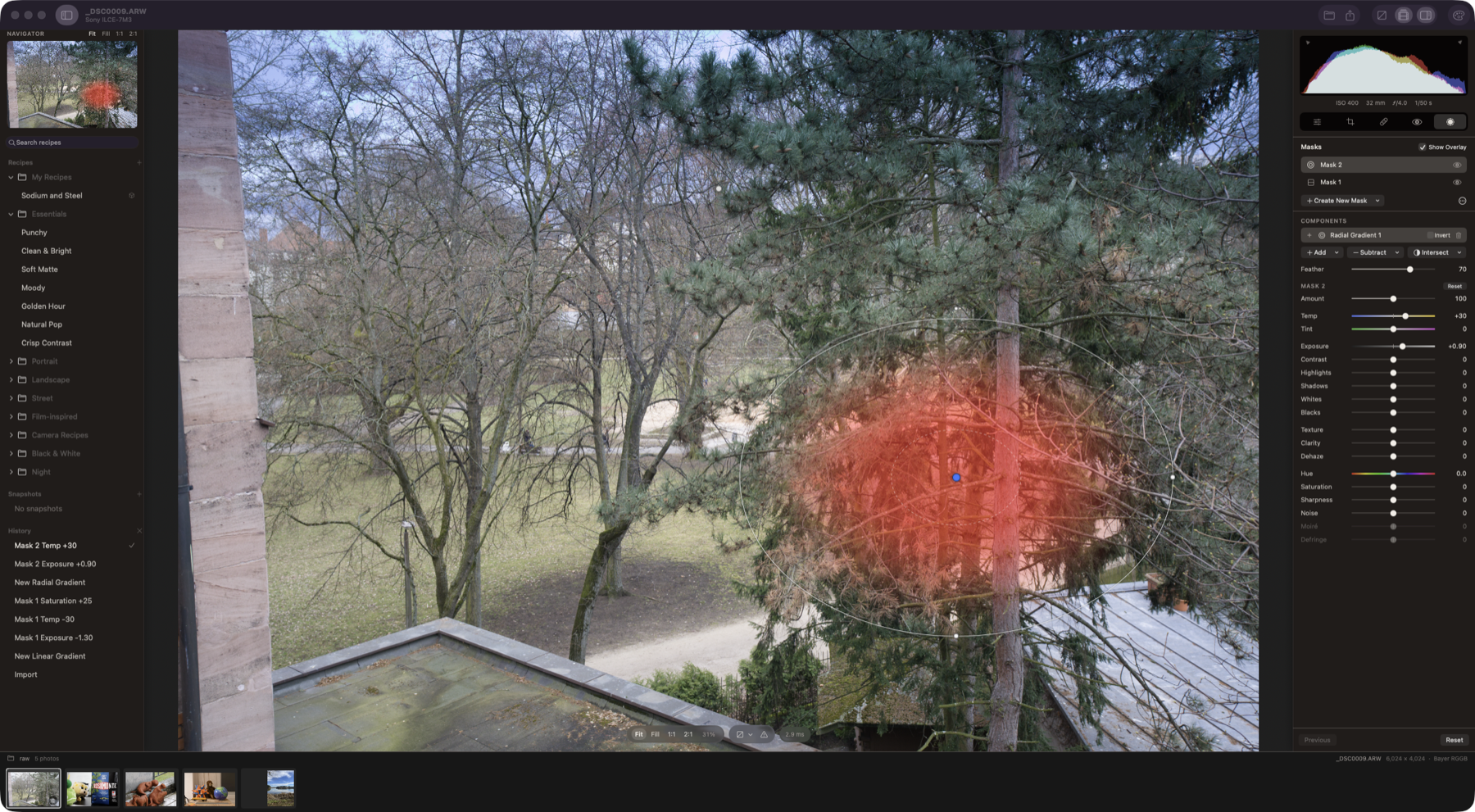
- Masks: gradients, a brush, color and luminance ranges, and AI masks that run on your Mac: subject, sky, background and people, down to face skin, eyes and teeth.
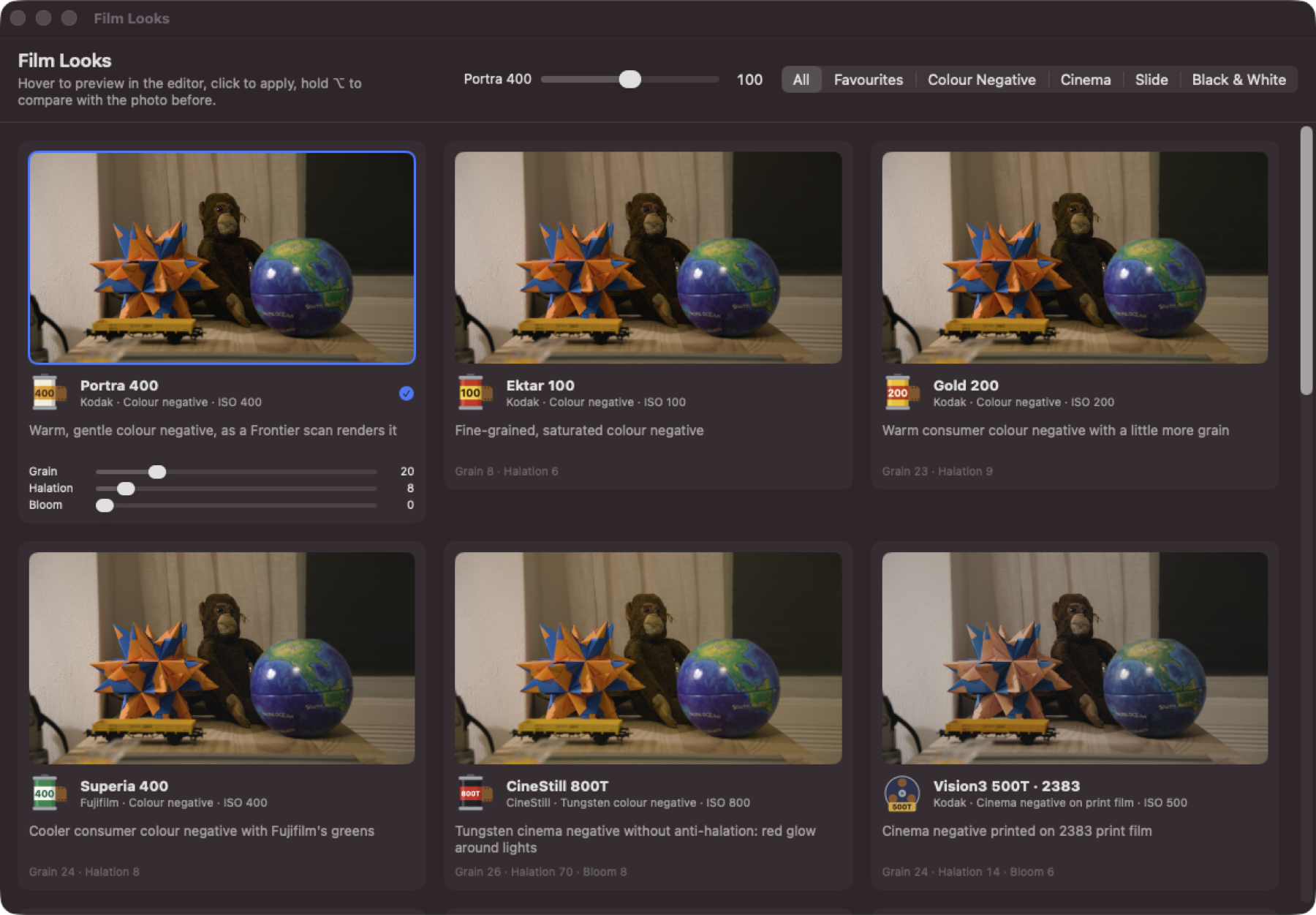
- 36 film looks, built from the manufacturers' datasheets, each with its stock's own curves and grain, plus halation and bloom. There are Fujifilm-style recipes too.
- Recipes, Redlamp's name for presets, profiles and LUTs in one. Hover to preview, click to apply, and bring in your own
.cubefiles. - Export to JPEG, HEIC, TIFF and PNG.
What it isn't yet
It's pre-alpha. It needs an Apple Silicon Mac on macOS 26 or later, and there's no crop, healing or lens corrections yet; those are next. Fujifilm's X-Trans files open, but their demosaic is a first version. And this first release can't update itself, so Homebrew is the easiest way to stay current.
Try it
brew tap pdcgomes/redlamp https://github.com/pdcgomes/redlamp
brew install --cask redlamp
Or download the app from the latest release; it's signed and notarized. When a new version comes out, brew upgrade --cask redlamp gets it.
How you can help
Open your own raws, edit them the way you normally would, and tell me what breaks or looks wrong. Only a handful of cameras have been properly checked so far, so whatever you shoot is useful.
Please report what you find as a GitHub issue; a free GitHub account is all you need. These make a report much easier to act on:
- your camera model and macOS version
- the raw file, if you can share it
- for a photo that looks wrong, a screenshot alongside your camera's JPEG or Lightroom's version
If you know color science, film or cameras far better than I do, I'd especially like to hear where Redlamp gets them wrong, and the code is open if you'd like to dig in. Feature requests are welcome too.
And if you can share sample files under CC0, raw.pixls.us collects them; that's how cameras get added to Redlamp's test suite.
What's next
The next release, 0.2.0, will update itself. It also brings two things that already work in the development version: a full Export dialog, and ⌘K, a command palette that reaches every control from the keyboard. After that come crop, healing and lens corrections.
I'll also write here about how Redlamp is built, starting with how the film looks come from datasheets and what it took to keep a slider drag smooth. There's an RSS feed if you'd like to follow along.
If you'd rather watch than read, here's Redlamp in 24 seconds:
Thanks for reading,
Pedro